Live wallpaper for macOS
Your Mac's wallpaper,
now playing.
It replaces your desktop picture with a machine that plays whatever you are listening to.
Twelve animated wallpapers, from a tape deck on a walnut table to the aircraft passing overhead right now. Pick one from the menu bar and it becomes the picture behind your windows, on every display. They read Spotify, Apple Music, Tidal, Podcasts and audio in a browser tab.
7-day trial · No account
Live wallpaper, not a screensaver
-
It is your wallpaper
Not a screensaver, not a window
Diorama replaces the picture in System Settings → Wallpaper. It sits behind your windows and under your Desktop icons, and it is there while you work — not only while you are away.
-
It is drawn, not recorded
Not a video on a loop
Every frame is drawn on your Mac from something true right now, so it never repeats: different record, different sky, different weather, different light.
-
It gets out of the way
Stops the moment you cover it
Each display stops as soon as your windows are over it — one screen at a time — and the wallpapers that fetch data stop asking too. Nothing is drawn for a screen you cannot see.
Free, and it stays free
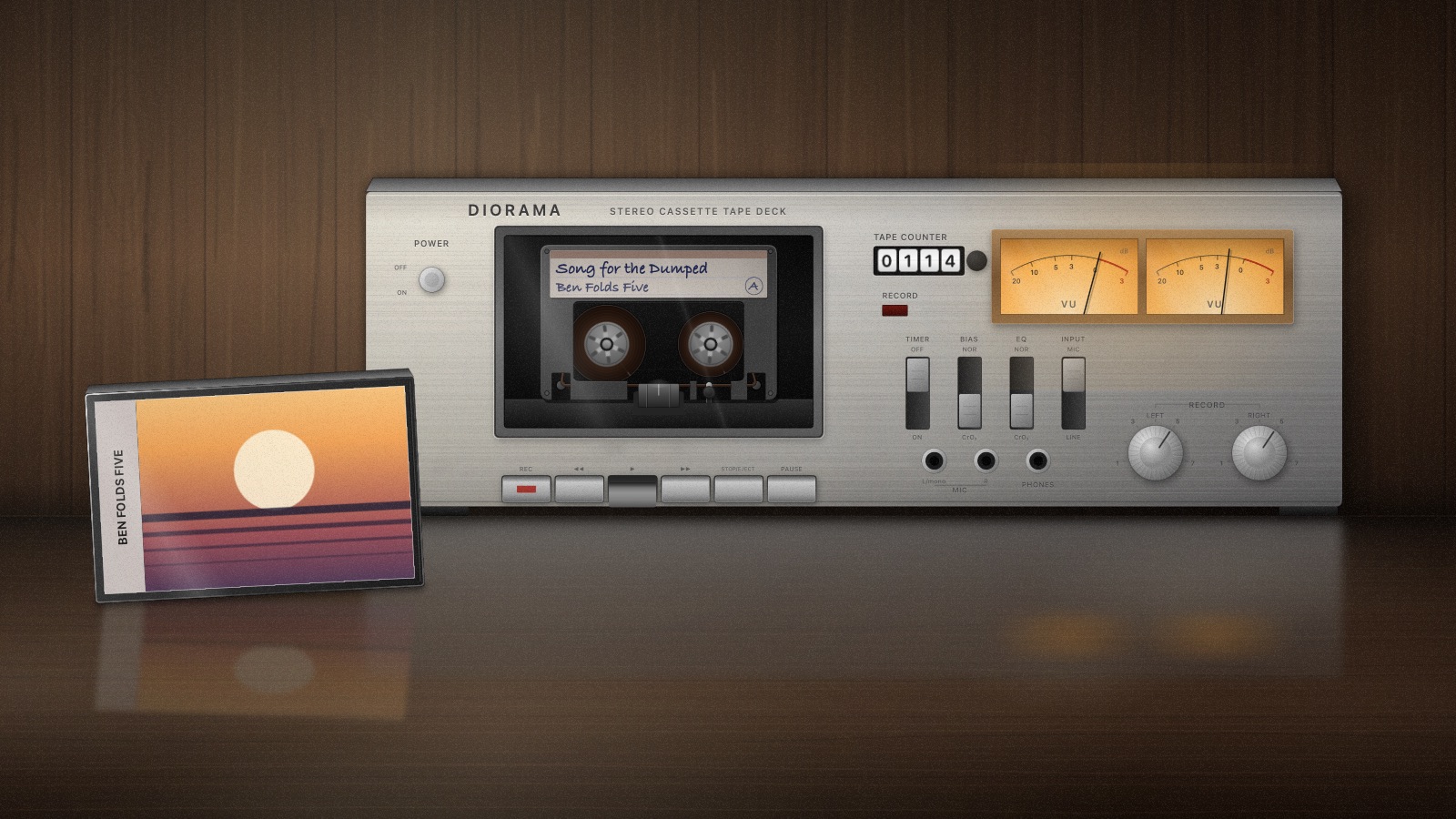
A tape deck for a wallpaper, with your track written on the label
The reels turn as the song plays, the tape winds from one to the other, the counter climbs, the meters move, and the case propped beside it carries the artwork. It is yours whether or not you ever buy a licence.
With Pro
Eleven more wallpapers, for the rest of the day
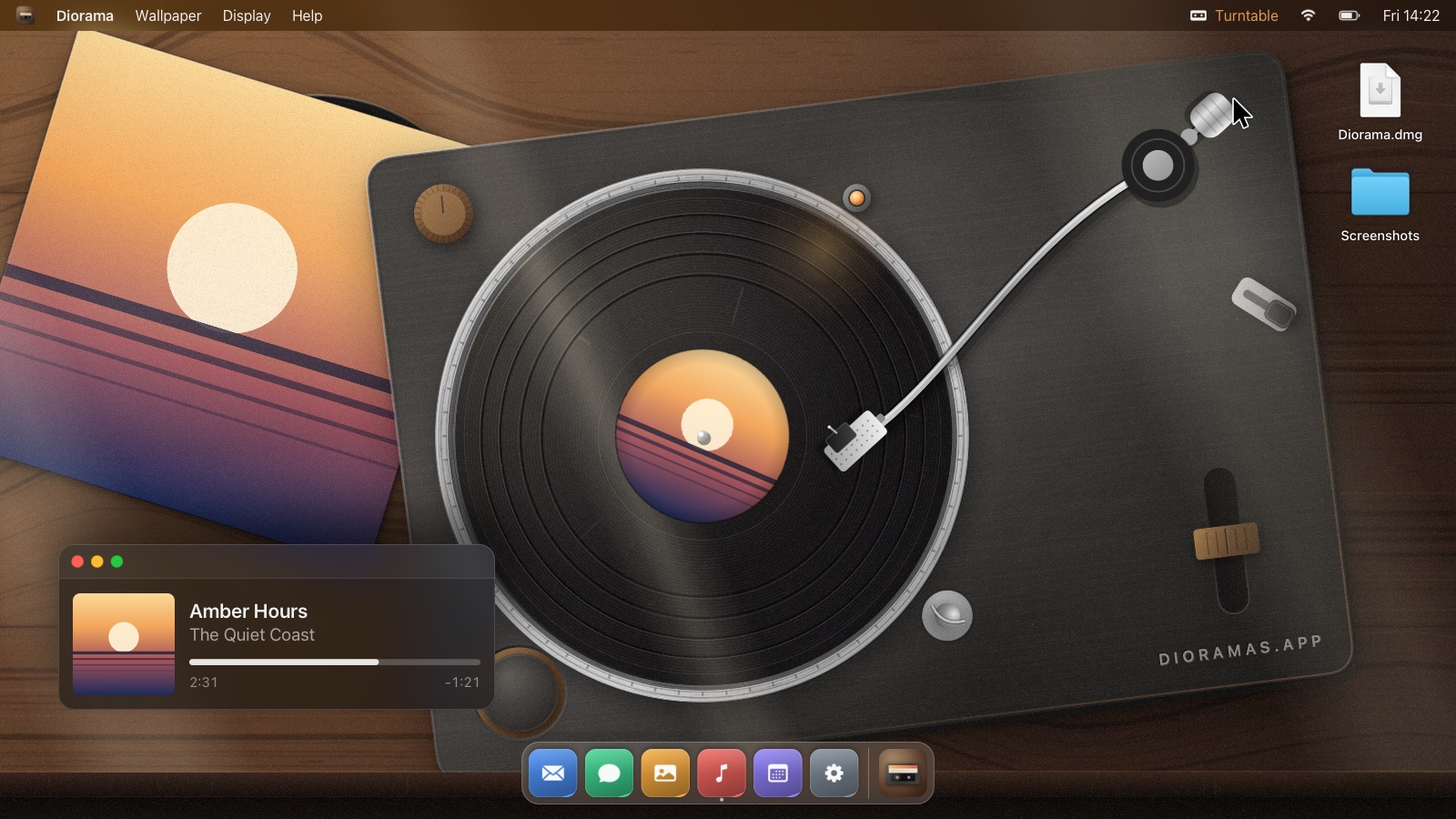
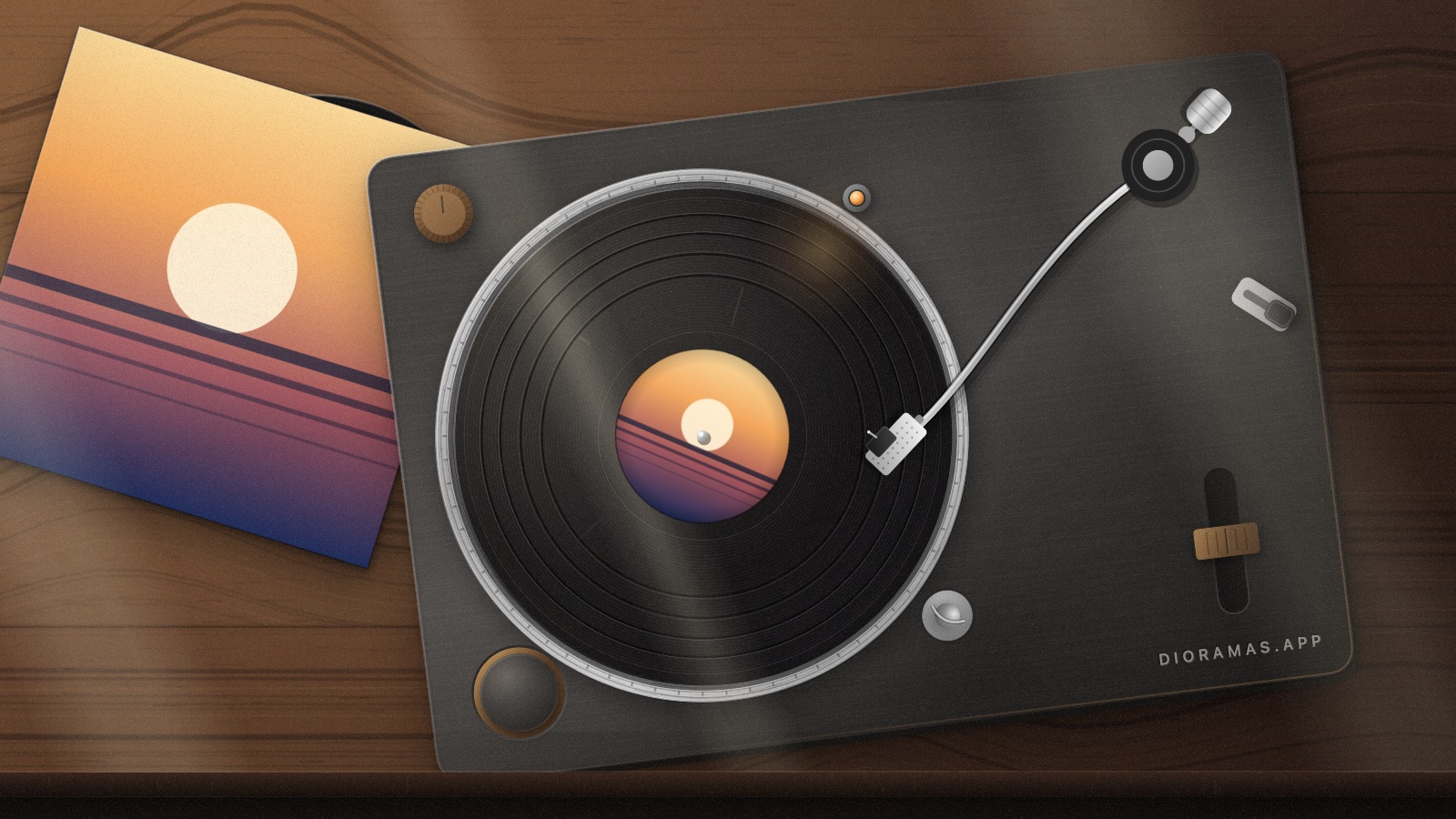
The record deck at the top of this page, plus these ten, each one a different hour in a different room. Switch from the menu bar; every display gets its own, drawn at its own size.
-
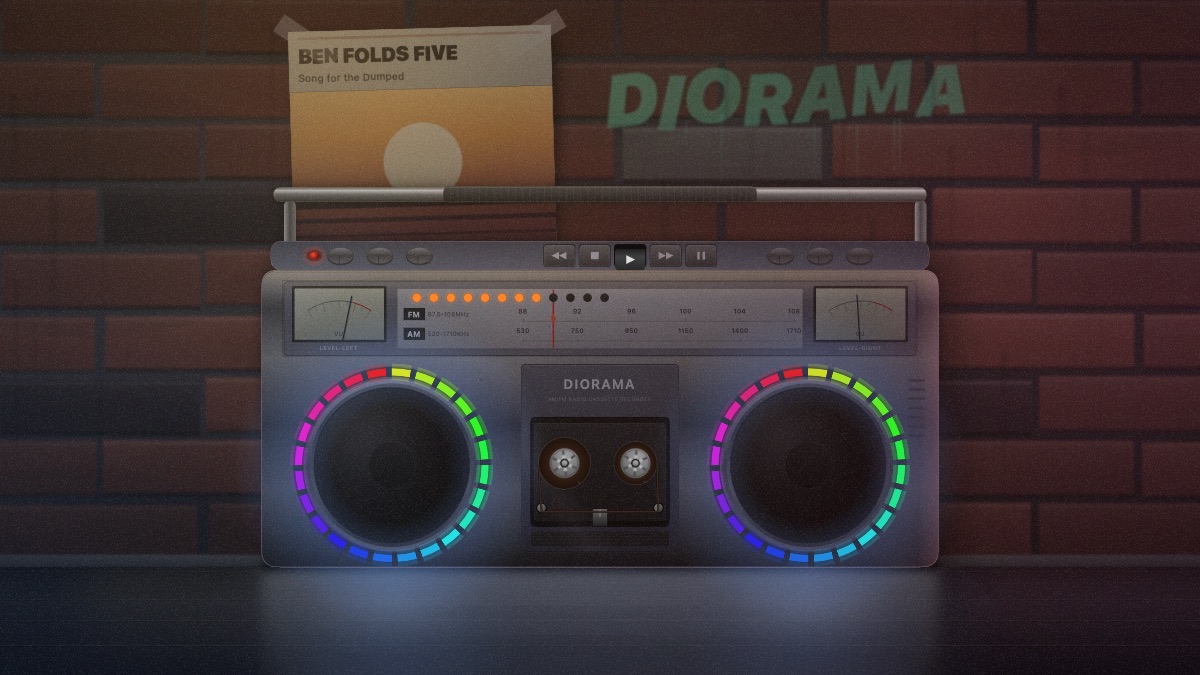
Boombox
An alley at night, a sodium lamp, and two rings of colour chasing round the speakers. The poster on the wall is your cover.
Now playing
-
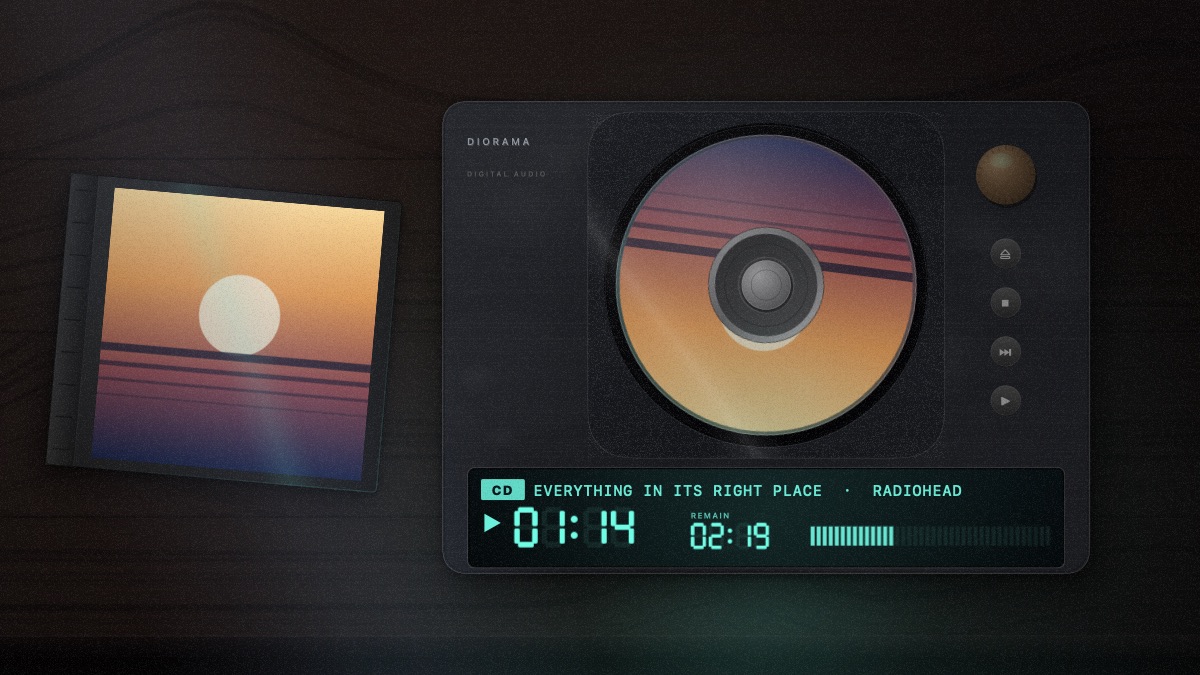
CD Player
The same desk after dark, so the display is the brightest thing in the room. The disc slows as it plays, exactly as a real one does.
Now playing
-
Flights
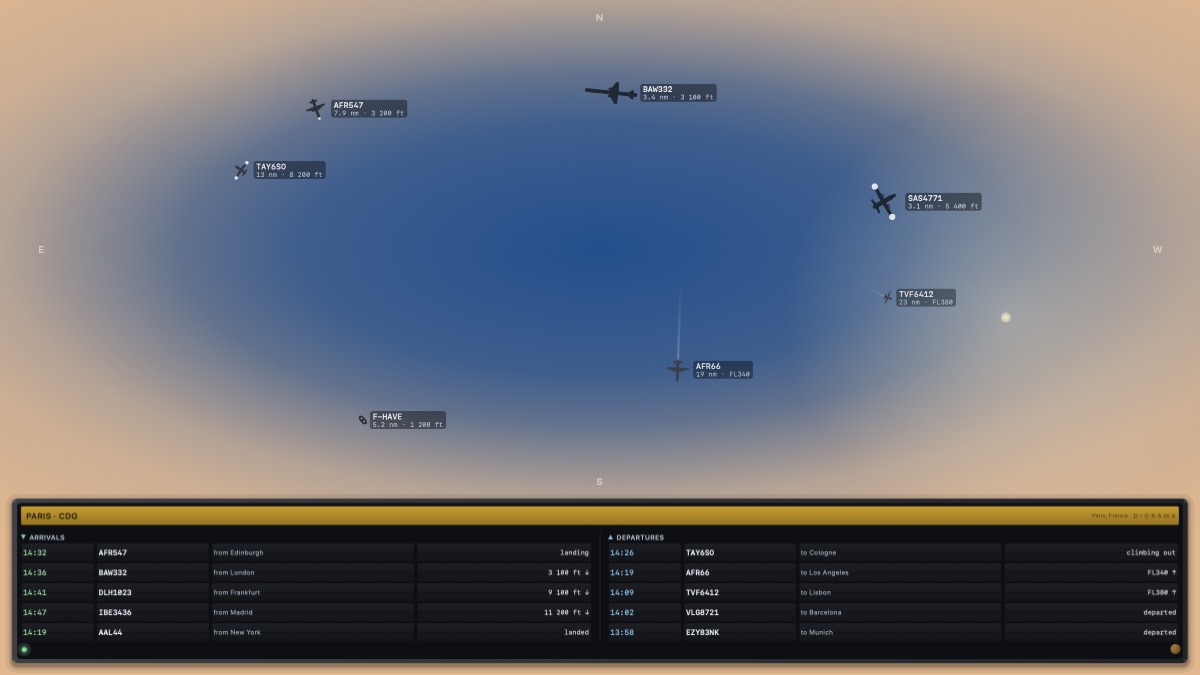
Straight up at the sky above you: the aircraft actually there, each with its flight number and how far away it is, under a sky lit by the real position of the sun. A split-flap board below it turns over the arrivals and departures.
Live ADS-B · your location
-
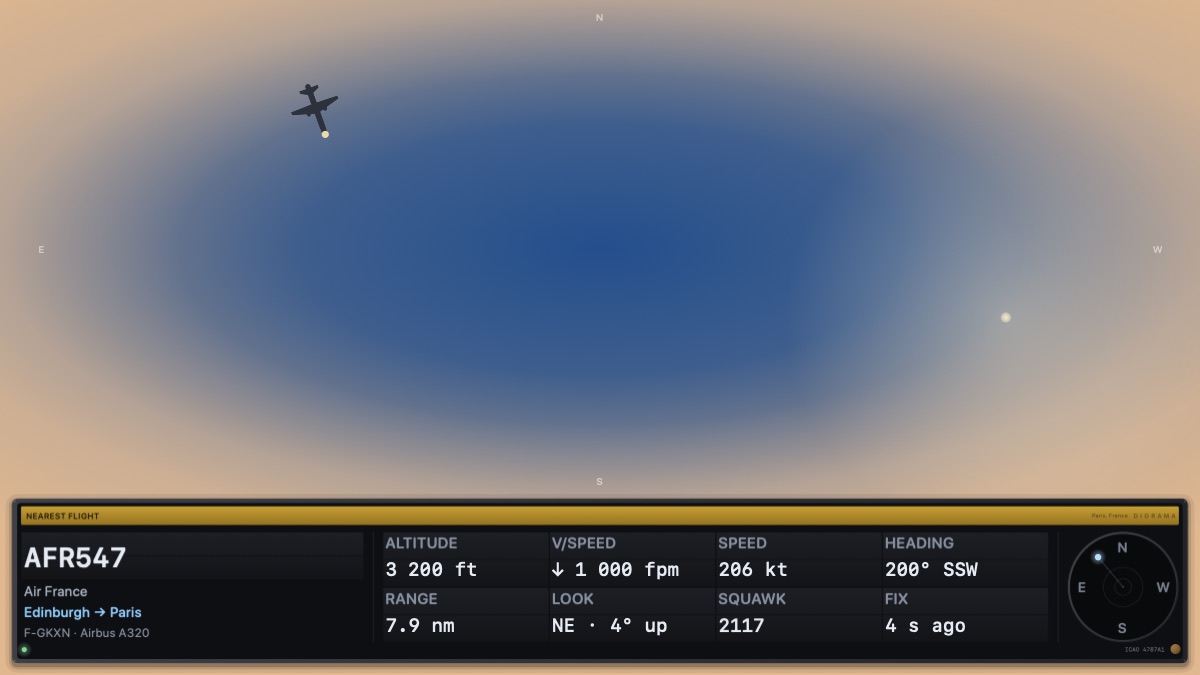
Nearest Flight
The same sky, but about one aeroplane — the closest to you, everything a public database knows about it, and a dial pointing at the piece of sky it is in.
Live ADS-B · your location
-
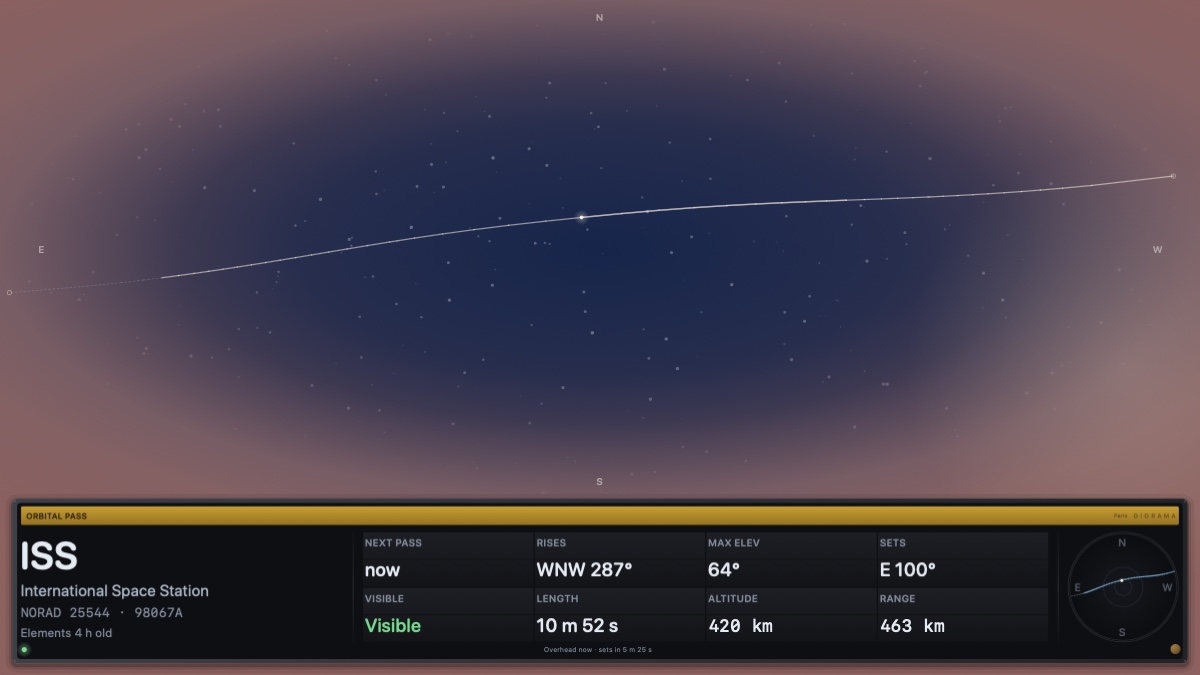
Orbital Pass
The same sky again, waiting for the space station. It draws the arc it will take across your sky, when to be outside, and where to look — and goes dotted along the part where it passes into the earth's shadow and there is nothing to see.
Live orbital elements · your location
-
Forecast
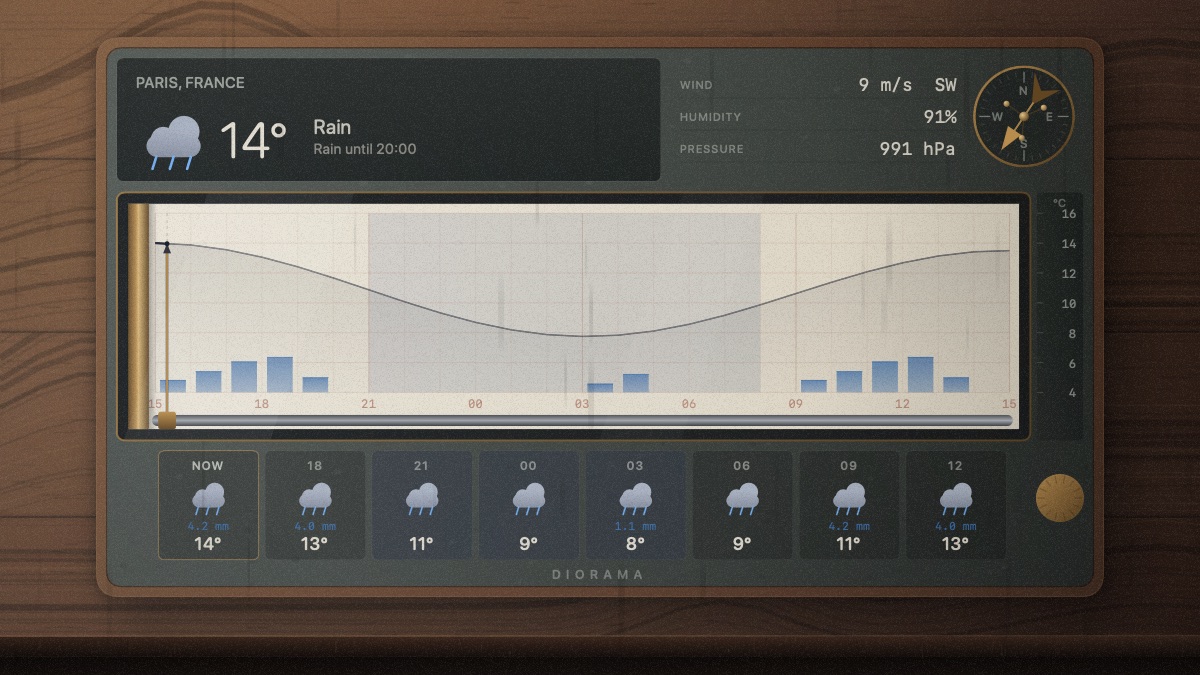
A plotter on the same desk, drawing the next twenty-four hours where you are. The room goes grey when it clouds over, and the shadows of rain run down the wall when it rains.
MET Norway or Bright Sky · your location
-
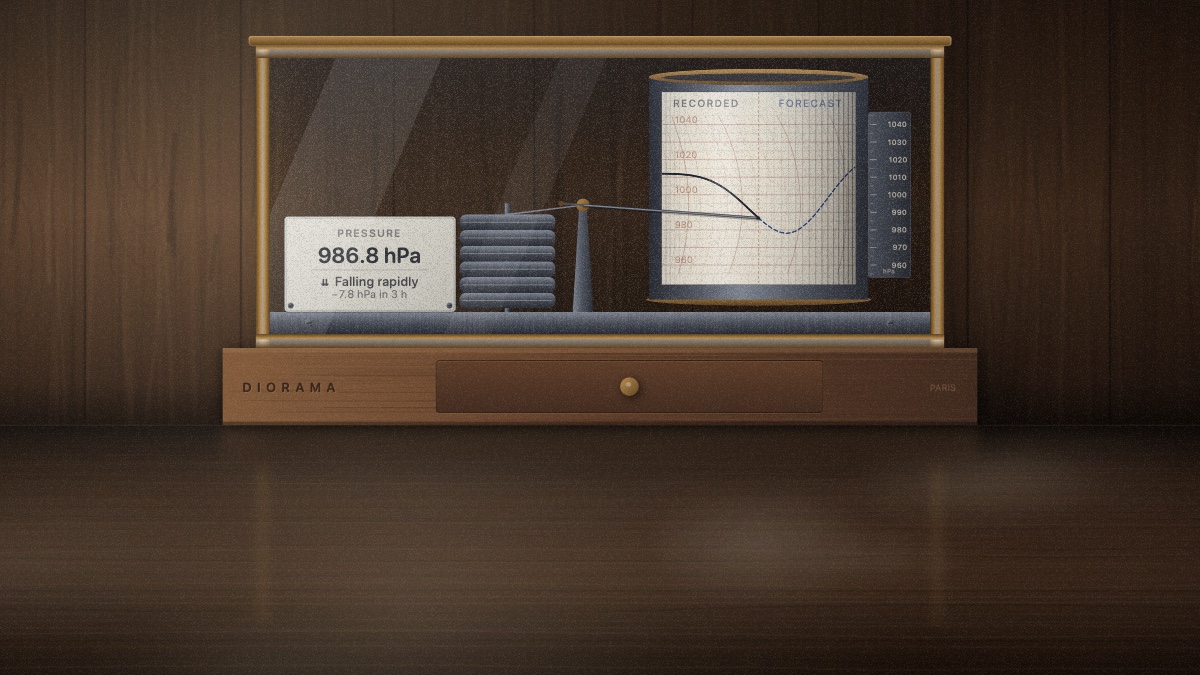
Barograph
The oldest way of knowing what is coming: a pen on a turning drum. It records what the pressure has actually done since you switched it on, and prints the next day ahead of the pen in a lighter line. A falling glass has meant weather for three hundred years.
MET Norway or Bright Sky · your location
-
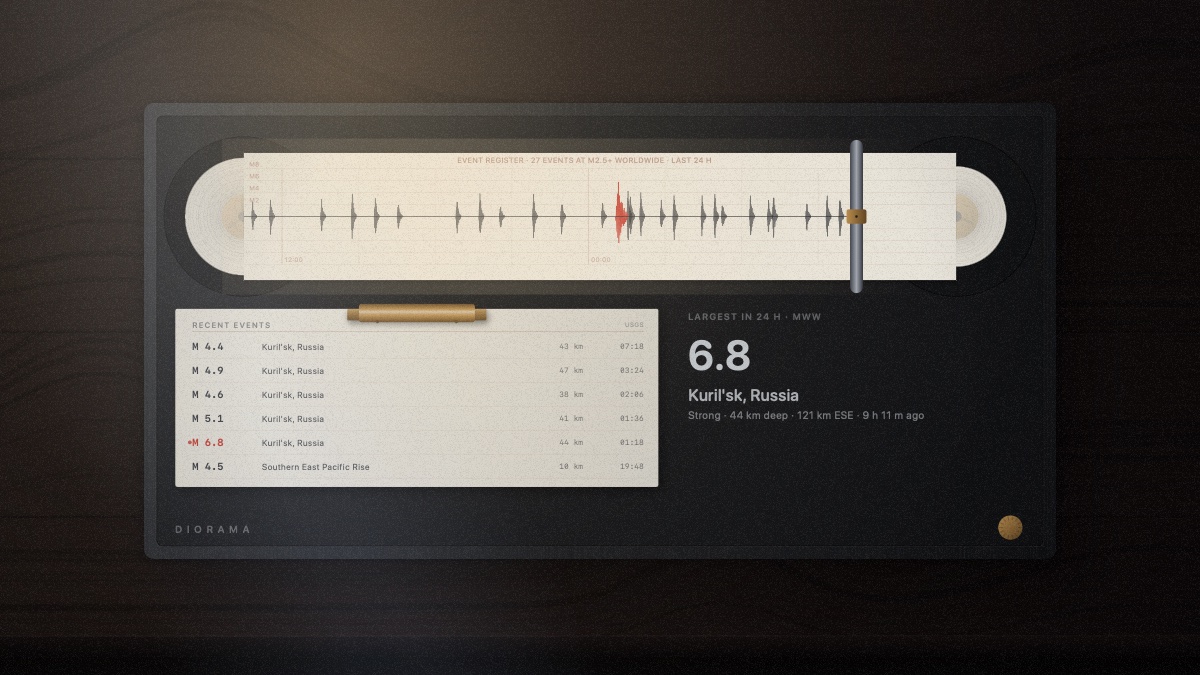
Seismograph
A day of the whole world's earthquakes, running across the paper under a desk lamp. The card beside it names the ones worth knowing about. It is the one wallpaper that needs no location at all.
USGS · no location needed
-
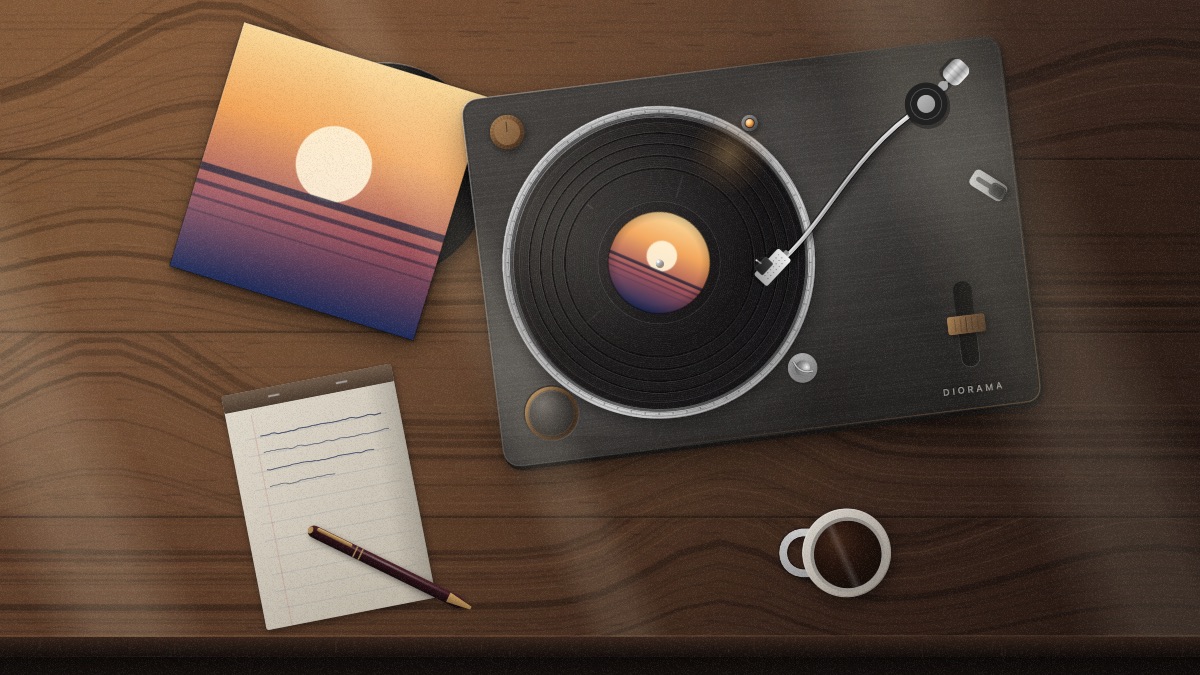
Desk
The turntable from further back, with the rest of the desk in shot — the pad you were writing on, the pen you put down mid-sentence, the coffee going cold.
Now playing
-
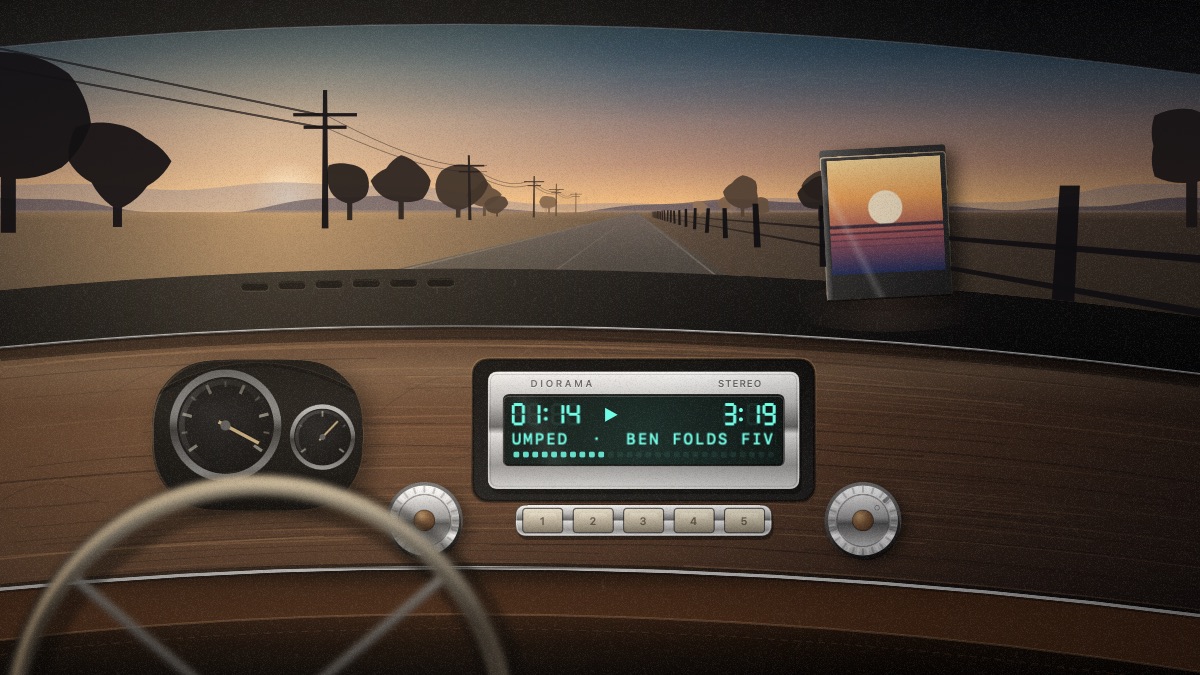
Car Stereo
A head unit in an old dashboard, the title scrolling across its display, and the road opening out through the windscreen.
Now playing
- Reads every player
- Spotify, Apple Music, Tidal, Podcasts, and audio playing in a browser — anything that shows up in macOS's Now Playing. No plugins, nothing to configure.
- Stops when you're not looking
- Each display stops as soon as your windows cover it — one at a time, not all or nothing — and everything stops when the screen sleeps, locks, or the Mac drops into Low Power Mode.
- Every display
- Each screen gets its own wallpaper at its own size. Portrait, ultrawide and the built-in one, all at once.
- Buy it once
- Your licence key appears the moment you pay, on a page you can bookmark. Paste it in once; it is checked on your Mac, so it keeps working offline.
| Requires | macOS 15 or later · Apple silicon & Intel |
|---|---|
| Wallpapers | Cassette (free) · Turntable · Desk · CD player · Car stereo · Boombox · Flights · Nearest flight · Orbital pass · Forecast · Barograph · Seismograph |
| Displays | Unlimited |
| Sources | Spotify · Apple Music · Tidal · Podcasts · browsers |
| Live data | adsb.lol · MET Norway · Bright Sky · USGS · Celestrak |
| Licence | One-time · three Macs |
Questions about live wallpaper on a Mac
- What is a live wallpaper on a Mac?
- It is your desktop picture, drawn continuously instead of sitting still — the image behind your windows and under your Desktop icons. Diorama replaces whatever is set in System Settings → Wallpaper and draws in its place, on every display.
- Is it a screensaver?
- No. A screensaver runs when you are away; Diorama runs while you work. It is a menu bar app with no window of its own and no Dock icon.
- Will an animated wallpaper slow my Mac down?
- Each display stops drawing the moment your windows cover it — one screen at a time, not all or nothing — and the wallpapers that fetch data stop asking too. Everything stops when the screen sleeps or locks, or the Mac drops into Low Power Mode.
- Does it work with Spotify and Apple Music?
- Yes, and with Tidal, Podcasts and audio playing in a browser — anything that shows up in macOS's Now Playing. There is no plugin to install and nothing to sign in to.
- Does it work on more than one display?
- Every display gets its own wallpaper, composed for its own size and shape rather than cropped from a picture made for another. Portrait, ultrawide and the built-in one, all at once.
- Which version of macOS does it need?
- macOS 15 or later, on Apple silicon and Intel.
- Is there a free version?
- The cassette deck is free permanently. The other eleven wallpapers are unlocked for a week with no card and no account, and after that it is a one-time purchase.
One price
$8.99 $5.99 once
Launch price
Every wallpaper is unlocked for a week, with no account and no card. After that the tape deck keeps working, whatever you decide.
Drag Diorama into your Applications folder, then open it from there. It has no Dock icon — it lives in the menu bar.
macOS 15 or later
Diorama